Open OnDemand
Marlowe has an Open OnDemand instance available at https://ood.marlowe.stanford.edu
There are currently two interactive apps available for use on the Marlowe Open OnDemand instance: Jupyter Lab, and Code Server.
Jupyter Lab
From the official Jupyter Lab website: JupyterLab is a highly extensible, feature-rich notebook authoring application and editing environment
If you need to run a Jupyter Notebook, you can allocate resources and run them remotely through the Marlowe Open OnDemand instance.
Code Server
Code Server is a tool to allow you to run VSCode on a remote server.
Open OnDemand is the recommended and officially supported way to run Code Server on Marlowe. If you run your own instance instead, it must be inside a Slurm job on a compute node, not on a login node; reaching it over ordinary SSH port forwarding is permitted (see Marlowe operating restrictions for which tunnels are and are not allowed).
Note on GitHub Copilot: As GitHub Copilot uses the VSIXPackage format instead of VSIX, code-server does not support directly installing it through the extension tab. However, you can still manually install the VSIXPackage file through the user interface. Any extension that doesn’t use the VSIXPackage format will install correctly from the extension tab.
Running Apps
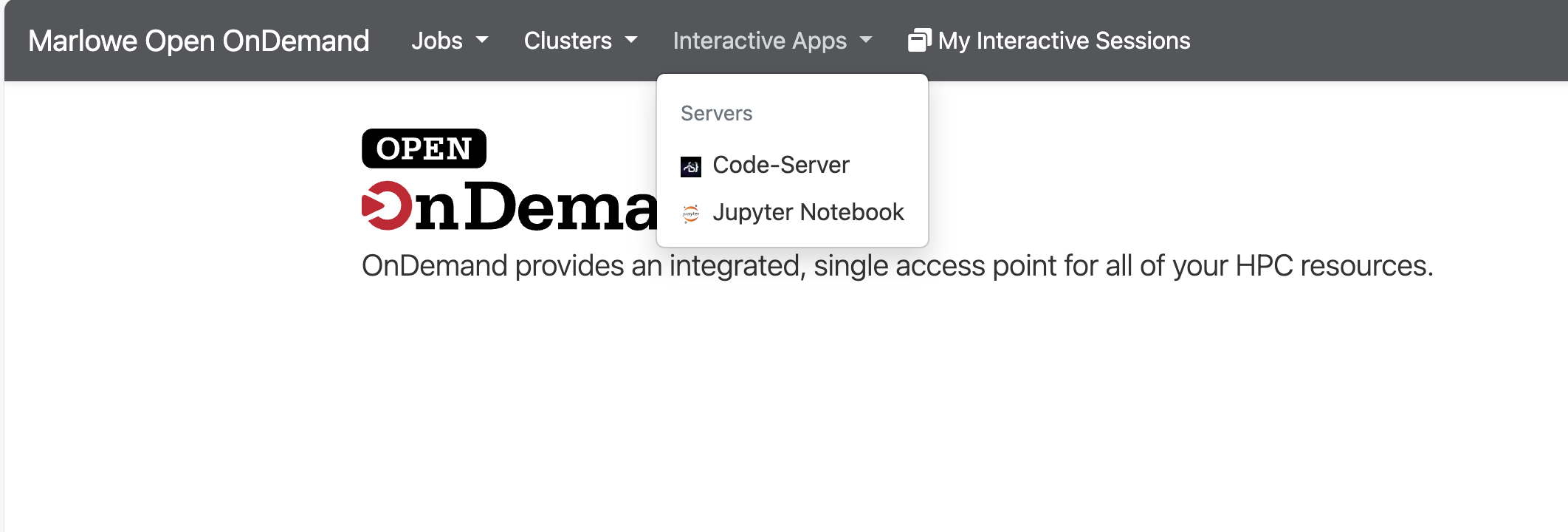
To run an app on Open OnDemand, click the Interactive Apps button at the top and choose your specific application:
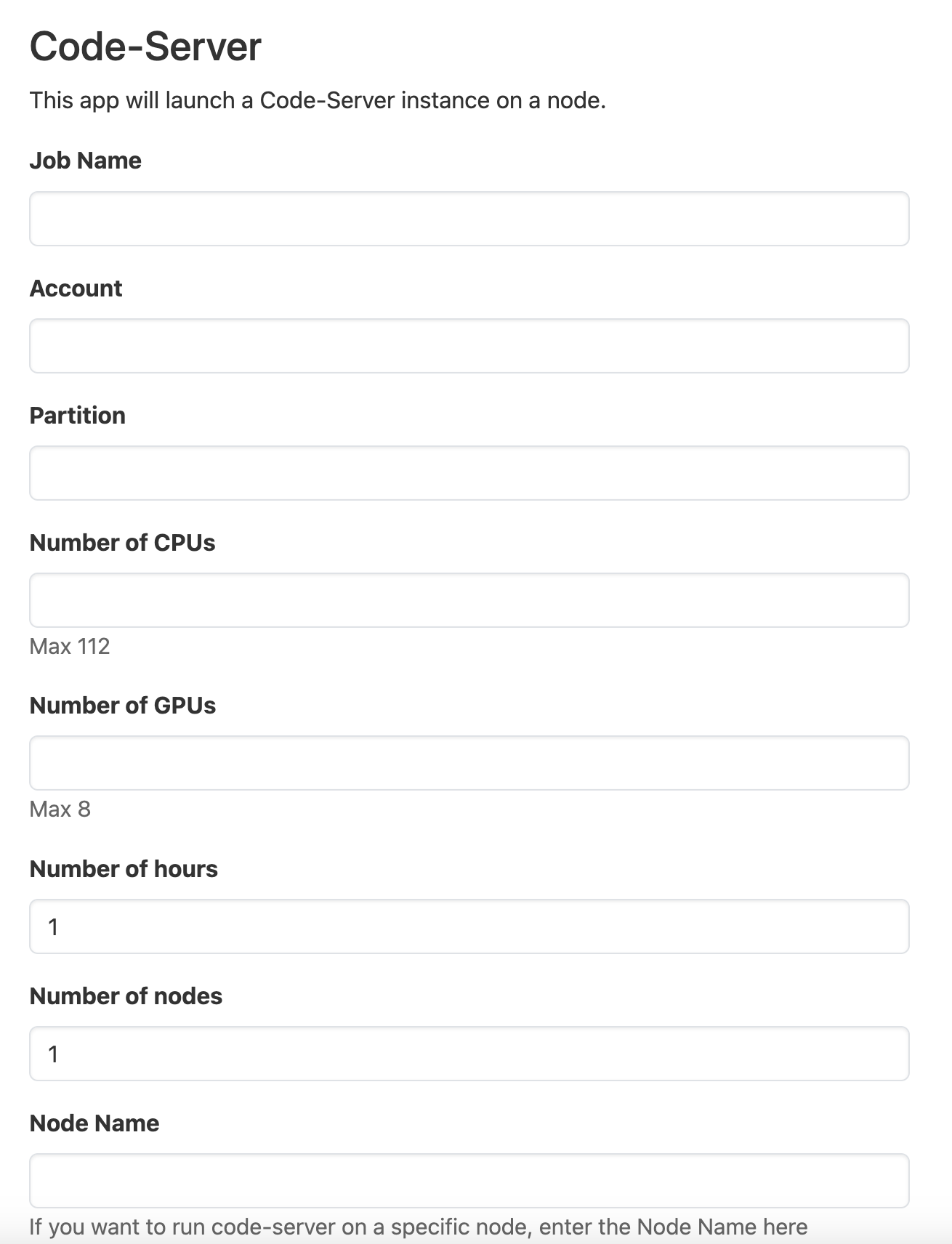
After that, you will see a submit form similar to this:
Once your job has been submitted and resources have been allocated, you will be presented with this screen:
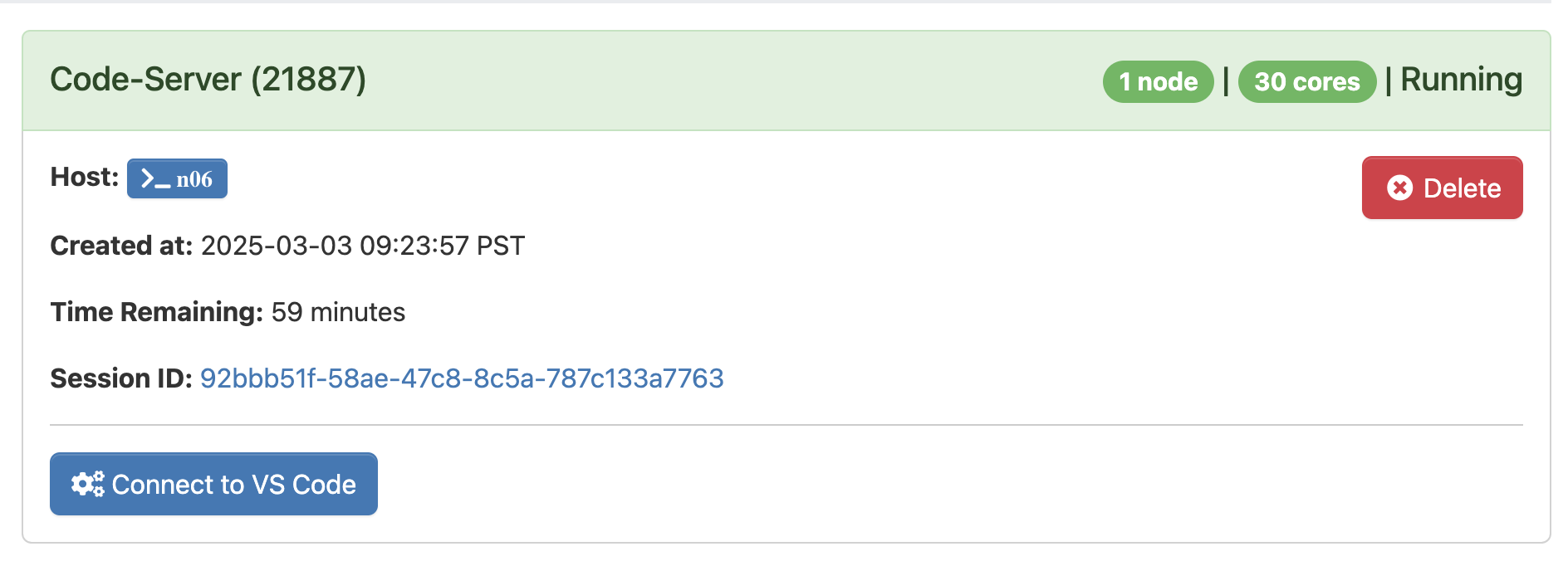
Click “Connect” and your app instance will be launched automatically.